Share
If you receive emails very frequently then, 30 minutes interval for checking the email will not help. I am using Outlook 2013 professional and had this difficulty. But later found there is an option to increase/decrease to check email frequency.
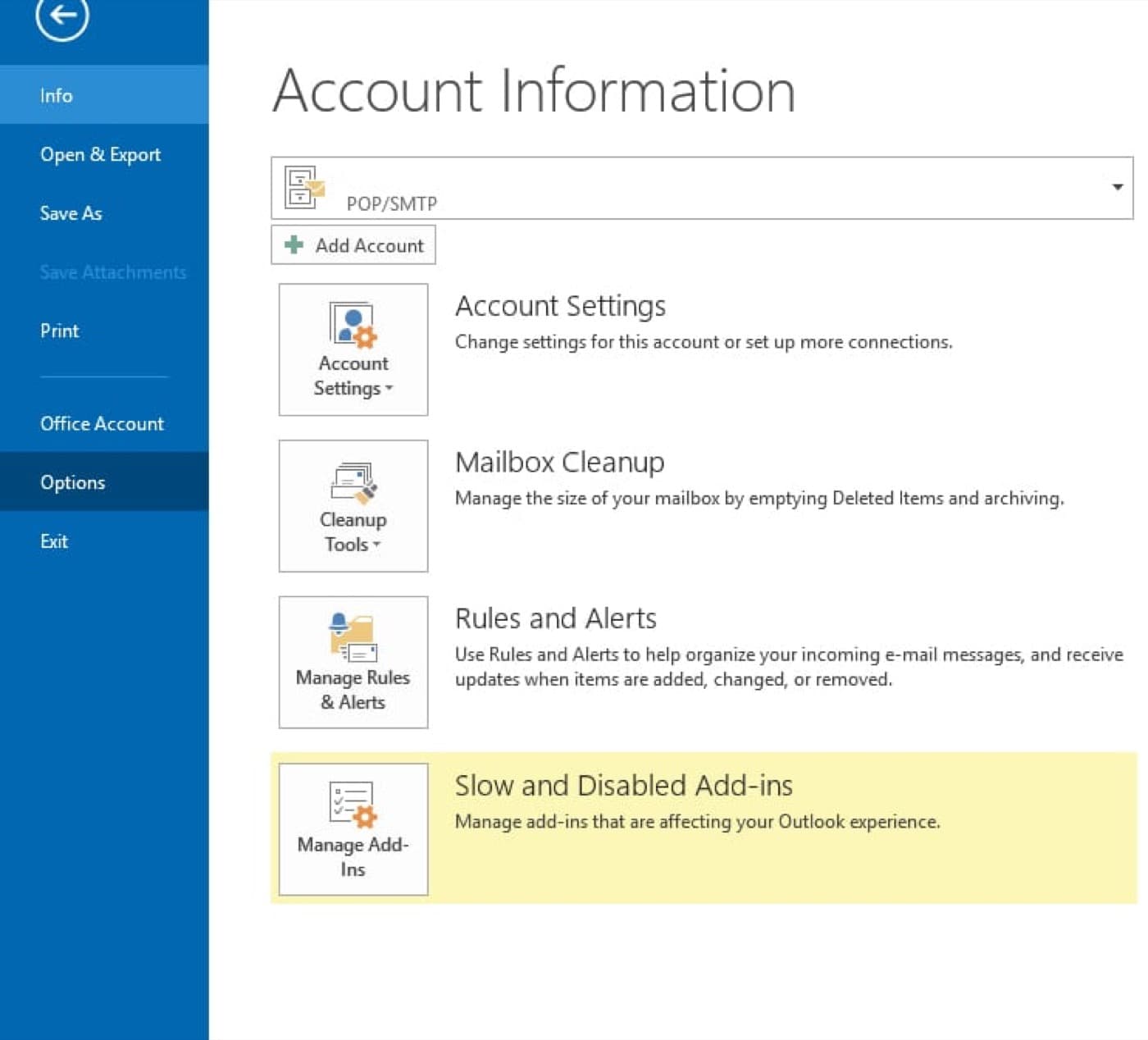
Step 1: Click File > Options
Step 2: Click Advanced and go to “Send and Receive” section and click “Send/Receive…” button
Step 3: Now set the required minutes in the “Schedule automatic send/receive every” option
It is all done, never miss an email!
Click the below images to learn how to increase/decrease automatic send/receive email in outlook step by step.
Step1: File > Options
Step2: Send and Receive
Step3: Change the Fequency